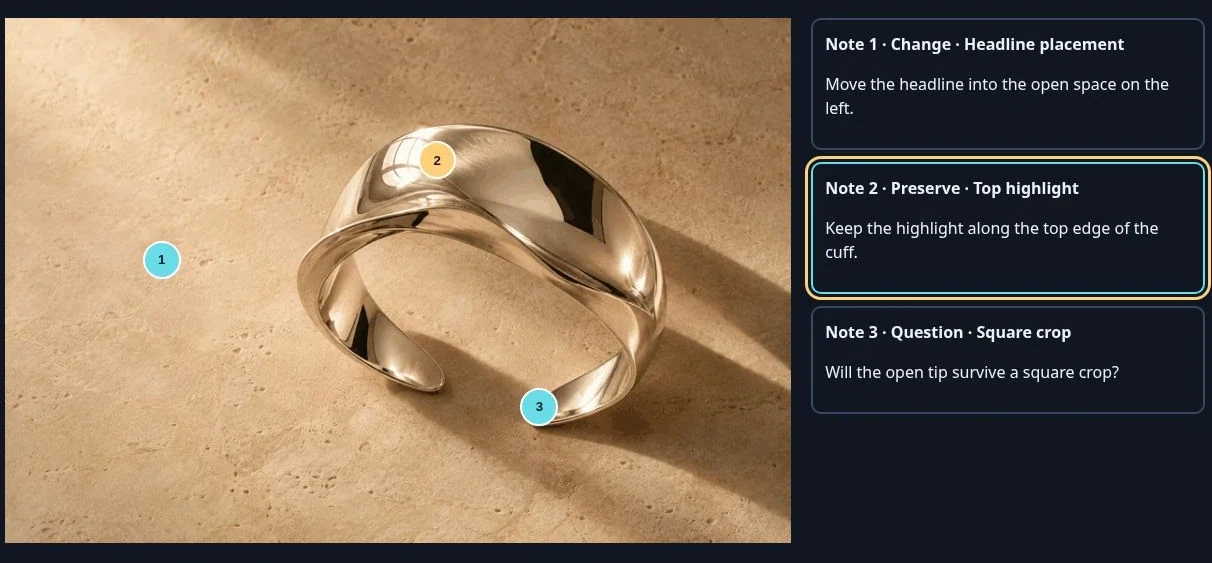
Someone sent you a VoiceFrame HTML file. Here’s how to read it.
Save the attachment and open it in your browser. You can read the review without installing VoiceFrame or signing in.
Read a note
- Click a numbered pin on the picture. Its note tells you what to change, keep or check.
- If you start in the notes list, choose Back to pin to see the exact spot.
Reply about the same spot
Make the change in your usual design tool. When you send the revised proof, name the image and pin number so the reviewer knows what you addressed.
A reply to the cuff review
“Pin 1 — I moved the headline left. Pin 2 — I kept the highlight. I’ve attached the square crop for your call on pin 3.”