Which file should I send my designer?
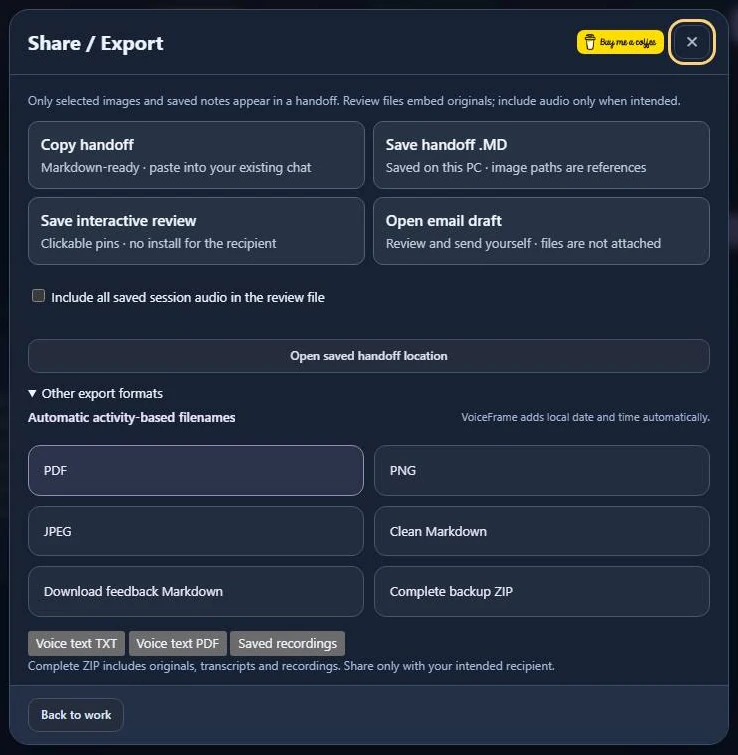
Send the interactive HTML review. Your designer can open it in a browser, click the spot you marked and read what you want changed.
Send a screenshot with its notes
- Save your last pin. Open Share / Export and choose Save interactive review.
- Leave audio off unless you want to share every saved recording in the session.
- Choose Open saved handoff location. Open the HTML file and click a pin to check it. Attach that file to your message.
If they only need the wording
Choose Copy handoff and paste it into the ticket, or use Save handoff .MD for a text file.
Keep the backup for yourself
Open Other export formats and choose Complete backup ZIP. Keep it with your project. It includes the original files, transcripts and recordings.