
What was said
“Use the dahlia for the cover. Keep the petals clear. Put the title in the dark space to the right.”
Open Notes, record the decision and check the transcript. A standalone note can start before you have an image.
The client picked a dahlia for a pitch deck. The account manager wants the designer to get the exact direction while the conversation is fresh.
“Use the dahlia for the cover. Keep the petals clear. Put the title in the dark space to the right.”
Open Notes, record the decision and check the transcript. A standalone note can start before you have an image.
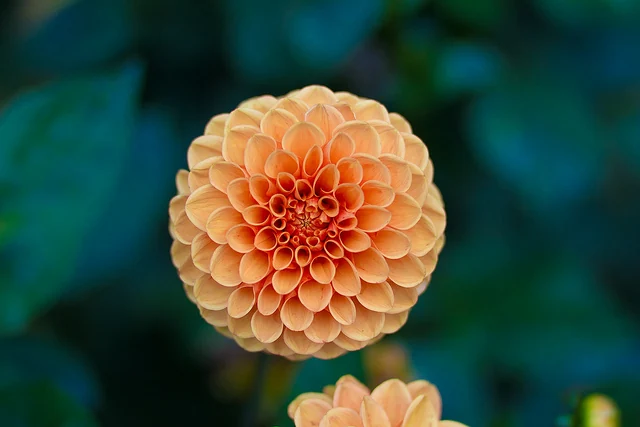
Cover slide
Use the peach dahlia. Place “Garden collection” in the dark area to the right. Keep the title clear of the petals.
In the Windows app, open Voice to text, choose Record voice, then stop and check the transcript before sharing it. Try the same editing step here.
Use the dahlia for the cover. Keep the petals clear. Put the title in the dark space to the right.